Frequently Asked Questions
Quick answers to common questions. Can’t find what you need? Email service@robottworks.com.
General
What is QuickSift?
QuickSift is a desktop application for intelligently selecting and exporting files from large directory structures. It’s built for developers who work with AI assistants like Claude, Gemini, and ChatGPT, but it’s useful for anyone who needs to cherry-pick files and create organized packages.
What platforms does QuickSift run on?
Windows 10+ (64-bit) and macOS 10.14+. QuickSift is a native desktop app — no browser or cloud account required for core features.
Does QuickSift need an internet connection?
Only for license validation (a lightweight, periodic check) and Cloud Bridge (Pro). All file scanning, selection, filtering, and local export works entirely offline.
Can I use QuickSift with any AI assistant?
Yes. The clipboard export and file export features work with any AI platform — Claude, ChatGPT, Gemini, Mistral, local models, or anything else that accepts text or file input. Cloud Bridge is currently purpose-built for Claude.
Cloud Bridge
Does Cloud Bridge work with ChatGPT or Gemini?
Cloud Bridge is currently designed for Claude only. It integrates with Claude’s Projects feature and uses a purpose-built skill file for seamless two-way communication. For other AI platforms, use QuickSift’s standard export features (clipboard, flat, structured, zip).
Can Claude access files I haven’t selected?
No. Claude can only see files that you’ve checked in your QuickSift project. If Claude needs a file that isn’t in the selection, it can request it — but the file only syncs if Auto-Sync is enabled or you manually approve the request.
Is my code safe?
Yes. Files are encrypted on your device before transfer using per-session AES-128-CBC encryption. The bridge coordinator never sees your file contents — it only manages session coordination. Files are stored temporarily in encrypted form and automatically deleted when your session ends. See our Privacy Policy for full details.
How long do sessions last?
Cloud Bridge sessions expire after 12 hours of inactivity. You can also manually disconnect at any time from the QuickSift Desktop Cloud Bridge panel.
Can Claude break my code?
QuickSift creates an automatic backup before applying any changes from Claude. If something goes wrong, you can restore the original with one click from the Code Updates panel. Claude also uses surgical, targeted edits rather than rewriting entire files, minimizing the risk of unintended changes.
Licensing
Is there a free version?
QuickSift offers a 14-day free trial with all features (including Cloud Bridge). After the trial, a paid license is required.
What’s the difference between Standard and Pro?
Standard includes all core features: file selection, filtering, all export formats, summary document generation, and reusable projects. Pro adds Cloud Bridge for Claude — encrypted two-way file sync, real-time notifications, diff preview, and automatic backups.
Can I upgrade from Standard to Pro later?
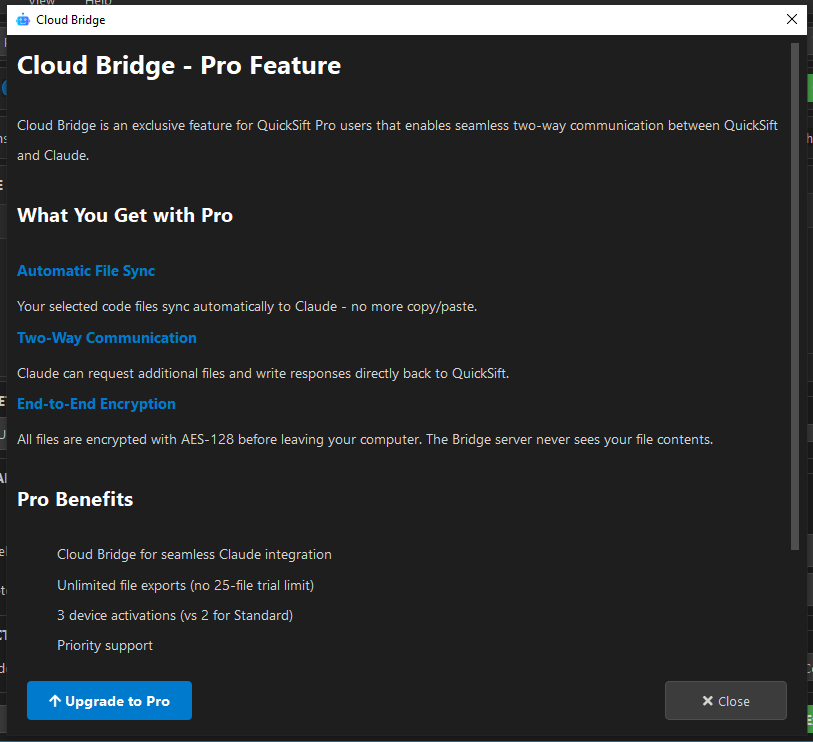
Yes. Go to About in the menu, click Cloud Bridge, then press Upgrade to Pro. You’ll be taken to a purchase page that upgrades your Standard license to Pro.
What happens after my update year expires?
You keep using your current version forever. It doesn’t stop working. If you want newer versions, you can purchase an update extension at a discounted price.
What happens if I don’t renew Cloud Bridge?
All other Pro features continue working. Only the Cloud Bridge connection is suspended. Renew anytime for $19/year to re-enable it.
Can I use my license on both Windows and macOS?
Yes. Your license key works cross-platform. You can activate on up to 3 devices total, any mix of Windows and macOS.
Troubleshooting
Windows SmartScreen blocks the installer
This is normal for new software. Click More info, then Run anyway. QuickSift is safe — the warning appears because the app is new and hasn’t built up a reputation with Microsoft yet.
macOS says the app is from an unidentified developer
Right-click the app and choose Open (instead of double-clicking). macOS Gatekeeper requires this one-time step for apps downloaded outside the App Store.
License activation fails
- Check your internet connection
- Make sure you’re entering the key exactly as it appears in your email (including dashes)
- Verify you haven’t exceeded 3 device activations
- Contact service@robottworks.com if the issue persists
QuickSift is slow scanning large directories
Try adding exclude patterns for heavy directories like node_modules, .git, __pycache__, and venv. These are excluded by default, but check your project settings if scanning feels sluggish.
I need help with something not listed here
Email service@robottworks.com. Pro users get priority support.